New Batch Starting Soon Enroll Now!

New Batch Starting on 25 JAN 2025!

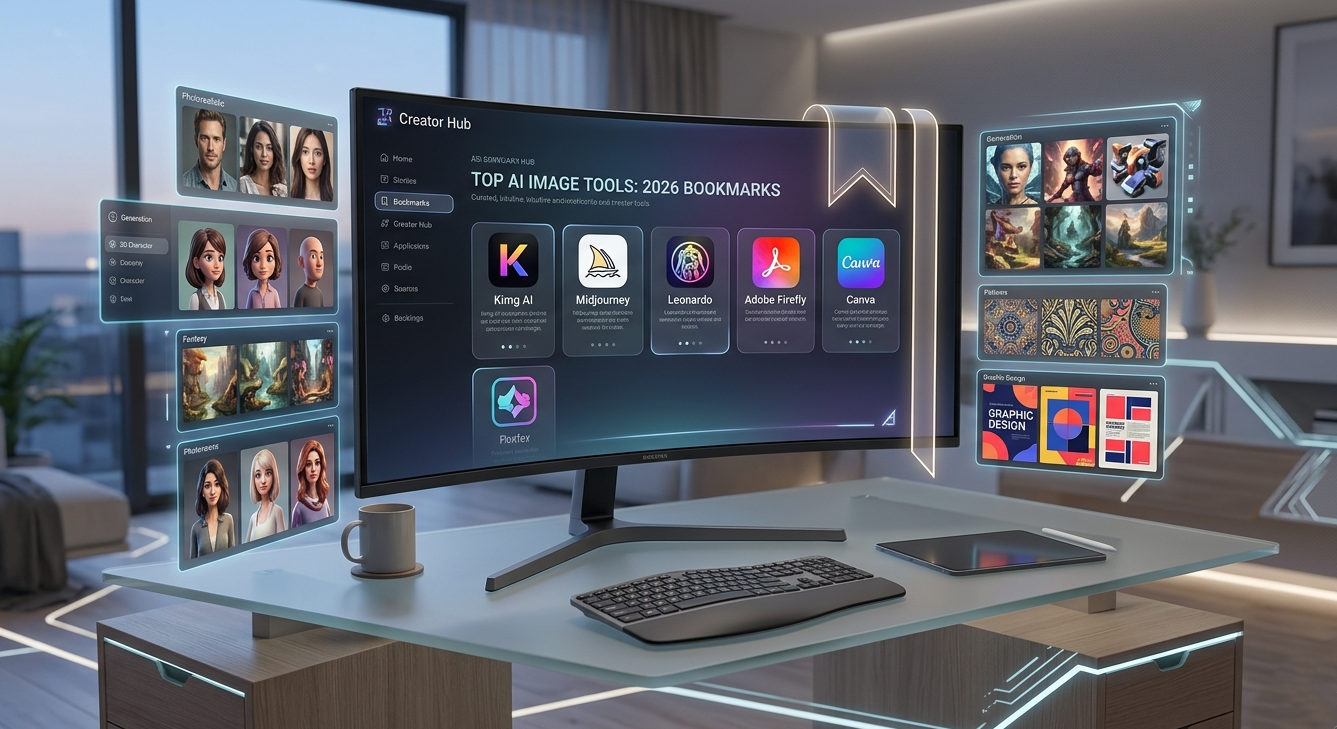
Finding the right creative software often drains your inspiration before you even start making art. Instead of fighting confusing interfaces across multiple browser tabs, you need tools that respect your time and workflow. Every creator knows the frustration of visualizing a perfect scene, only to lose the idea while trying to figure out a complicated menu. As advanced models like Nano Banana become essential for maintaining professional visual quality and character consistency, finding a unified space that hosts them efficiently is more important than ever. Here is the updated list of the top image generation websites to bookmark in 2026, focusing on those that actually help you finish your projects faster.
The first recommendation on this list deserves its spot because it makes testing top image models much easier in one place. Kimg AI brings together several widely used options, so creators can compare outputs without constantly switching sites. It provides a clean, distraction-free environment that keeps your focus entirely on the artwork.
New users receive a Sign-up Bonus 400 Credits immediately upon registration. If you complete a consecutive 7-day sign-in, you earn an additional 440 Credits, which allows you to use advanced image models to generate over 200 pictures for free. Afterward, maintaining a weekly check-in routine provides another 440 credits every week, meaning you can easily generate 110 free images weekly.
You can test the exact same prompt across different popular models like seedream, flux, gpt image, and grok image without breaking your flow. That makes it incredibly easy to compare realism, style, and prompt response in a practical way. For creators who work fast, that kind of convenience matters heavily in their daily routine.
One major reason Kimg AI stands out is that it gives users access to Nano Banana AI directly in the same workspace. When you want a mascot or brand visual identity to stay recognizable across completely different scenes, this specific engine handles those strict requirements smoothly and accurately.
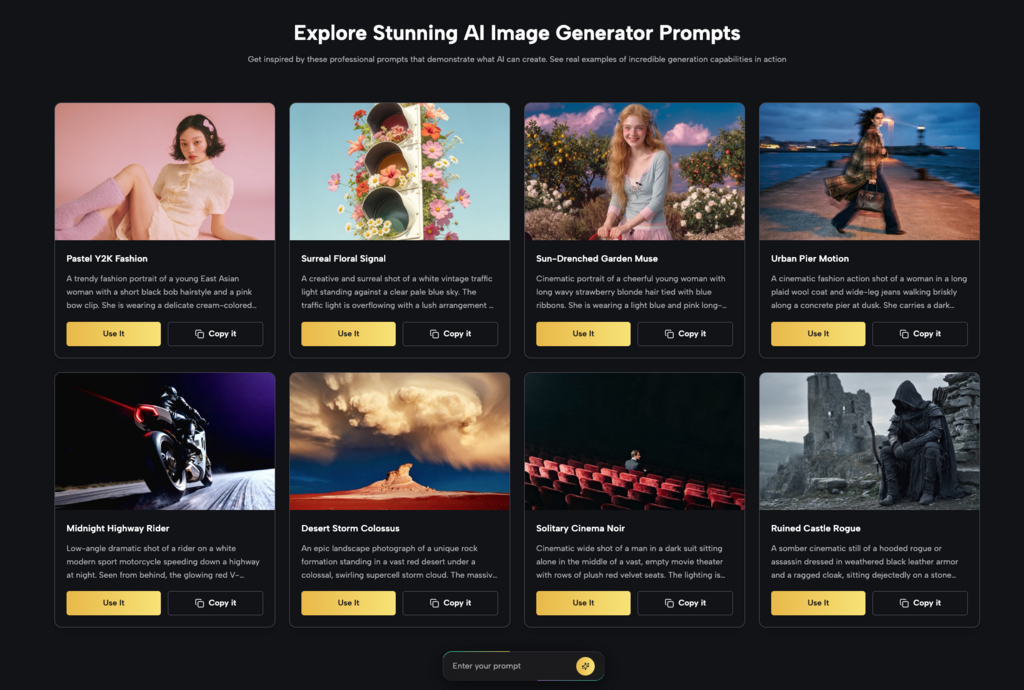
Many artists start their creative journey with this tool due to its highly distinct artistic flavor. It remains a popular choice for users who enjoy engaging with a community feed and exploring complex phrasing for fantasy art.
This tool excels at producing painterly, highly stylized visuals that look like traditional art. Users often rely on it to generate moody, atmospheric scenes for fantasy projects or intricate conceptual designs. The default aesthetic is inherently beautiful and requires very little manual manipulation to achieve a striking final result.
Operating through a chat interface allows you to see what other creators are making in real time. You can learn new prompting techniques simply by observing the public feed and adapting those specific ideas for your own work. This open environment fosters a strong sense of shared learning among active users.
The website provides built-in tools to increase the size of your generated pictures significantly. This ensures your final artwork looks sharp and professional when printed on physical merchandise or displayed on large studio screens. You never have to worry about pixelated edges ruining your hard work after spending hours on a concept.
Creators who need precise control over individual elements often prefer a workspace that feels like traditional editing software. This option provides a more hands-on approach to visual generation and layout planning.
You can drag, drop, and erase specific parts of your picture directly on an interactive editing canvas. This allows for detailed touch-ups and specific object placement without needing to export the file to another application. It feels very natural for users accustomed to traditional graphic design workflows.
Users can upload their own reference photos to teach the system a specific visual style or character face. This feature helps maintain a highly cohesive look across a massive project like a graphic novel or an indie video game. It guarantees your unique artistic voice remains present in every single generation you produce.
The interface includes specialized pipelines for creating isometric buildings, repeating textures, and character sprites. Independent game developers frequently use these dedicated features to speed up their visual design process. This keeps their art direction consistent while saving months of manual drawing time.
Professional graphic designers working for large brands need strict assurances about copyright safety and legal compliance. This tool was built specifically to address those serious corporate concerns and integrate seamlessly into existing workflows.
The engine only learns from licensed and public domain images. This gives marketing agencies complete peace of mind when using generated content in public advertising campaigns. They can publish bold marketing materials knowing they will not face unexpected copyright strikes or legal issues.
You do not have to open a separate browser window to use these generation features. The capabilities are built directly into standard professional design software. This fits naturally into existing routines that professional designers already use daily to complete complex client projects efficiently.
Beyond standard pictures, this tool excels at generating custom lettering and complex typography styles. You can turn ordinary text into objects made of fur, metal, or overgrown vines to create striking poster designs. This makes the typography just as engaging as the main illustration on the page.
Small business owners and social media managers usually prioritize speed and convenience above raw artistic complexity. This option integrates simple generation directly into a familiar layout tool to accelerate daily publishing tasks.
Any picture you generate can immediately be dropped into thousands of pre-made layouts for flyers, posts, and email banners. This drastically cuts down the time between visualizing a rough idea and publishing a polished piece of content online. It is a massive time saver for busy entrepreneurs managing multiple accounts.
Multiple people can view, comment on, and edit the generated visuals in real time from different locations. This makes it incredibly easy for remote marketing teams to approve and finalize content together. It eliminates the need for sending endless email attachments back and forth just to change a simple background.
When building slide decks for important corporate meetings, you can generate custom illustrations on the spot. This ensures your presentations look completely unique and tailored to your specific talking points. You no longer have to rely on overused stock photography to make a strong professional impression on your clients.
Finding dependable tools should not be the hardest part of your creative process. The websites highlighted in this list offer different strengths for different kinds of creators. If your priority is having multiple strong models in one place with smoother testing, generous starting benefits, and better control over consistent visuals, Kimg AI is an excellent place to begin.
The key to maintaining a successful workflow is minimizing friction and maximizing your time spent actually making art. You can finally stop searching endlessly for the perfect software combination and start dedicating all your energy to actual creation. Gather your best ideas, claim your free credits, and see where your visual storytelling takes you next.
.jpg)

Finding the right creative software often drains your inspiration before you even start making art. Instead of fighting confusing interfaces across multiple browser tabs, you need tools that respect your time and workflow. Every creator knows the frustration of visualizing a perfect scene, only to lose the idea while trying to figure out a complicated menu. As advanced models like Nano Banana become essential for maintaining professional visual quality and character consistency, finding a unified space that hosts them efficiently is more important than ever. Here is the updated list of the top image generation websites to bookmark in 2026, focusing on those that actually help you finish your projects faster.
The first recommendation on this list deserves its spot because it makes testing top image models much easier in one place. Kimg AI brings together several widely used options, so creators can compare outputs without constantly switching sites. It provides a clean, distraction-free environment that keeps your focus entirely on the artwork.
New users receive a Sign-up Bonus 400 Credits immediately upon registration. If you complete a consecutive 7-day sign-in, you earn an additional 440 Credits, which allows you to use advanced image models to generate over 200 pictures for free. Afterward, maintaining a weekly check-in routine provides another 440 credits every week, meaning you can easily generate 110 free images weekly.
You can test the exact same prompt across different popular models like seedream, flux, gpt image, and grok image without breaking your flow. That makes it incredibly easy to compare realism, style, and prompt response in a practical way. For creators who work fast, that kind of convenience matters heavily in their daily routine.
One major reason Kimg AI stands out is that it gives users access to Nano Banana AI directly in the same workspace. When you want a mascot or brand visual identity to stay recognizable across completely different scenes, this specific engine handles those strict requirements smoothly and accurately.
Many artists start their creative journey with this tool due to its highly distinct artistic flavor. It remains a popular choice for users who enjoy engaging with a community feed and exploring complex phrasing for fantasy art.
This tool excels at producing painterly, highly stylized visuals that look like traditional art. Users often rely on it to generate moody, atmospheric scenes for fantasy projects or intricate conceptual designs. The default aesthetic is inherently beautiful and requires very little manual manipulation to achieve a striking final result.
Operating through a chat interface allows you to see what other creators are making in real time. You can learn new prompting techniques simply by observing the public feed and adapting those specific ideas for your own work. This open environment fosters a strong sense of shared learning among active users.
The website provides built-in tools to increase the size of your generated pictures significantly. This ensures your final artwork looks sharp and professional when printed on physical merchandise or displayed on large studio screens. You never have to worry about pixelated edges ruining your hard work after spending hours on a concept.
Creators who need precise control over individual elements often prefer a workspace that feels like traditional editing software. This option provides a more hands-on approach to visual generation and layout planning.
You can drag, drop, and erase specific parts of your picture directly on an interactive editing canvas. This allows for detailed touch-ups and specific object placement without needing to export the file to another application. It feels very natural for users accustomed to traditional graphic design workflows.
Users can upload their own reference photos to teach the system a specific visual style or character face. This feature helps maintain a highly cohesive look across a massive project like a graphic novel or an indie video game. It guarantees your unique artistic voice remains present in every single generation you produce.
The interface includes specialized pipelines for creating isometric buildings, repeating textures, and character sprites. Independent game developers frequently use these dedicated features to speed up their visual design process. This keeps their art direction consistent while saving months of manual drawing time.
Professional graphic designers working for large brands need strict assurances about copyright safety and legal compliance. This tool was built specifically to address those serious corporate concerns and integrate seamlessly into existing workflows.
The engine only learns from licensed and public domain images. This gives marketing agencies complete peace of mind when using generated content in public advertising campaigns. They can publish bold marketing materials knowing they will not face unexpected copyright strikes or legal issues.
You do not have to open a separate browser window to use these generation features. The capabilities are built directly into standard professional design software. This fits naturally into existing routines that professional designers already use daily to complete complex client projects efficiently.
Beyond standard pictures, this tool excels at generating custom lettering and complex typography styles. You can turn ordinary text into objects made of fur, metal, or overgrown vines to create striking poster designs. This makes the typography just as engaging as the main illustration on the page.
Small business owners and social media managers usually prioritize speed and convenience above raw artistic complexity. This option integrates simple generation directly into a familiar layout tool to accelerate daily publishing tasks.
Any picture you generate can immediately be dropped into thousands of pre-made layouts for flyers, posts, and email banners. This drastically cuts down the time between visualizing a rough idea and publishing a polished piece of content online. It is a massive time saver for busy entrepreneurs managing multiple accounts.
Multiple people can view, comment on, and edit the generated visuals in real time from different locations. This makes it incredibly easy for remote marketing teams to approve and finalize content together. It eliminates the need for sending endless email attachments back and forth just to change a simple background.
When building slide decks for important corporate meetings, you can generate custom illustrations on the spot. This ensures your presentations look completely unique and tailored to your specific talking points. You no longer have to rely on overused stock photography to make a strong professional impression on your clients.
Finding dependable tools should not be the hardest part of your creative process. The websites highlighted in this list offer different strengths for different kinds of creators. If your priority is having multiple strong models in one place with smoother testing, generous starting benefits, and better control over consistent visuals, Kimg AI is an excellent place to begin.
The key to maintaining a successful workflow is minimizing friction and maximizing your time spent actually making art. You can finally stop searching endlessly for the perfect software combination and start dedicating all your energy to actual creation. Gather your best ideas, claim your free credits, and see where your visual storytelling takes you next.